Nationwide essentials · Before You Go
Set up and use Alipay
Register, add a card and understand the two ways to pay.
On this page · Preview & locked sections
Free preview · Try a complete step
Practical steps
Install the official app and register
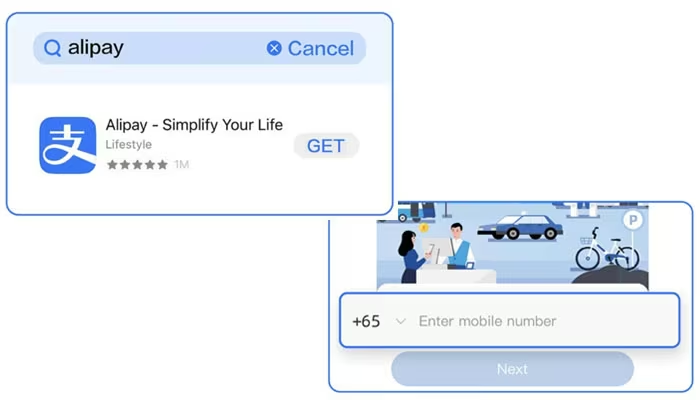
Download Alipay from the Apple App Store or Google Play, check the publisher and open the app. Select your country or region code, enter your own mobile number and complete the SMS check. An overseas number works before arrival; if you later buy a mainland SIM, update the registered number inside Alipay rather than creating a second account.
Inside the full guidance
Have these ready before you begin
Nationwide essentials · Locked
Step 2 · Set the language and complete identity prompts
Nationwide essentials · Locked
Step 3 · Link an eligible international card
Nationwide essentials · Locked
Step 4 · Understand what the linked card can pay for
Nationwide essentials · Locked
Step 5 · Scan the merchant's QR code
Nationwide essentials · Locked
Step 6 · Let the cashier scan your payment code
Nationwide essentials · Locked
Step 7 · Check the card, fee and limit before confirming
Nationwide essentials · Locked
Step 8 · Use Alipay for transport and mini programs carefully
Nationwide essentials · Locked
Try one small payment first
Nationwide essentials · Locked
Protect the payment code and verification messages
Nationwide essentials · Locked
Troubleshooting
Nationwide essentials · Locked
Keep three layers of payment
Nationwide essentials · Locked
My Essentials
Free previews · Premium content locked
An active City Full Guide includes China Essentials at no extra charge. Essentials alone does not unlock city-specific guides.
Read free previews →Already have access? Sign in →
China Essentials is $15, or included with an active City Full Guide. Check purchase availability on the Essentials page.